
Enable Third-Party Chats in WhatsApp to Message With Balsio Users
See how to turn it on – it takes less than 30 seconds.
WhatsApp now supports messaging with people using other chat apps, such as Balsio. By enabling Third-party chats in WhatsApp, you’ll allow Balsio users to message you safely and directly within WhatsApp – without needing to install anything new.
Your chats stay private and end-to-end encrypted by WhatsApp.
Quick Setup Steps
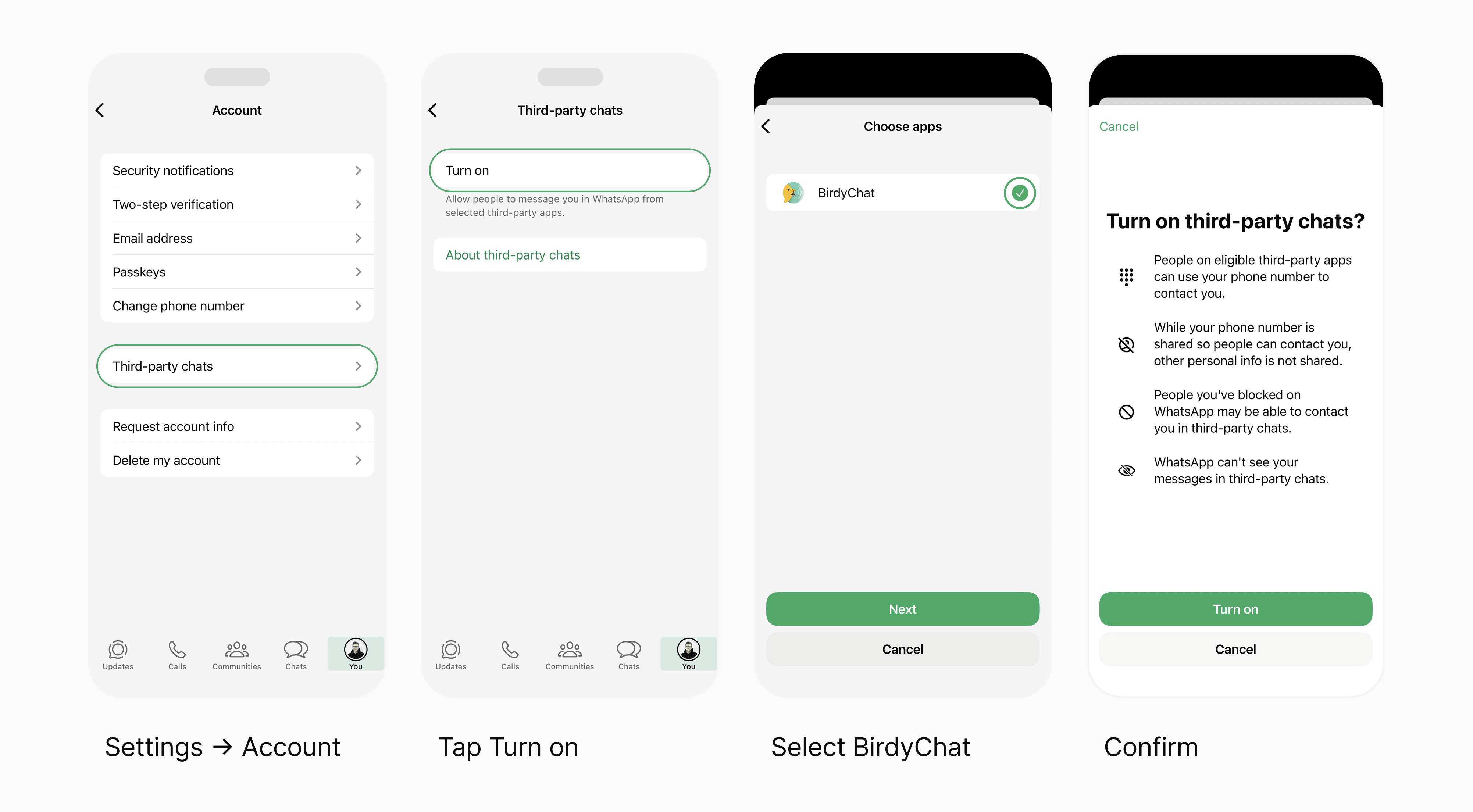
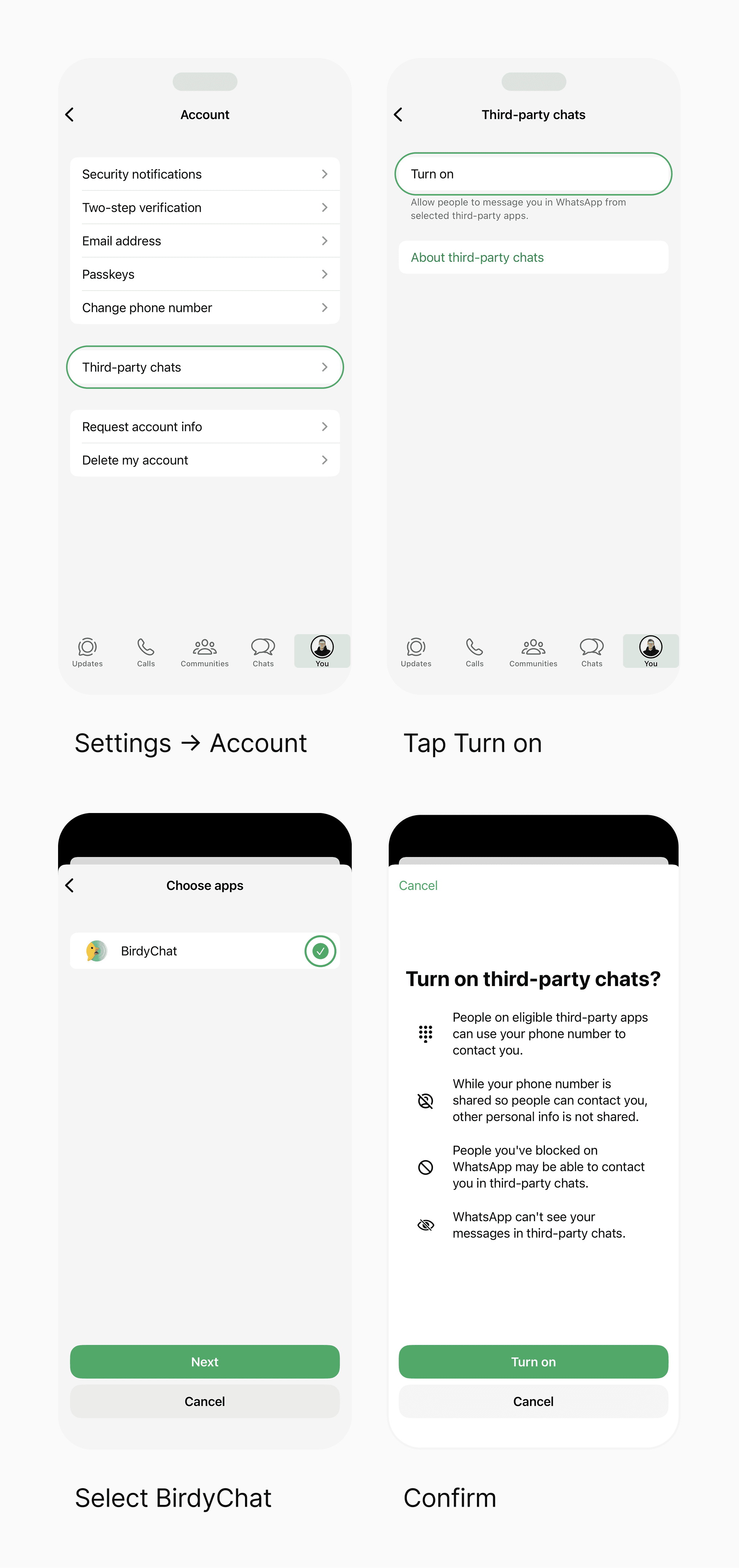
Open WhatsApp on your phone.
Go to Settings → Account → Third-party chats.
Tap Turn On.
Make sure Balsio is toggled on.
That’s it – you can now chat with Balsio users right inside WhatsApp.
Need help?
If you don’t see the option, make sure WhatsApp is updated to the latest version and it's available in your region.
Why Enable “Third-party Chats”?
This new WhatsApp feature (available in the EU under the Digital Markets Act) lets WhatsApp users connect with people on other messaging apps – including Balsio.
When you turn on Third-party chats:
You can message Balsio users directly in WhatsApp.
Your conversations remain end-to-end encrypted and private.
No extra apps to download – everything happens in WhatsApp.
You can turn this setting off anytime under Settings → Account → Third-party chats.
What Happens Next
Once you or your contact turn it on:
Balsio users will see you as Available via WhatsApp.
You’ll receive their messages directly in your WhatsApp chats – just like any other conversation.
If it’s not enabled yet, Balsio will show “Waiting for contact to enable chats.”
Balsio automatically checks for updates each time you open the app.
Troubleshooting
If Third-party chats doesn’t appear in WhatsApp:
Update WhatsApp to the latest version.
Check that the feature is available in your region (rolling out gradually across the EU).
Restart WhatsApp.
Still stuck? Read the official WhatsApp guide
Frequently asked questions
What does turning on Third-party chats actually do?
It lets people on apps like Balsio message you directly in WhatsApp. You don't link or pair accounts. Balsio and WhatsApp stay separate, and messages arrive through your regular WhatsApp phone number. Like receiving an email from Gmail in Outlook: different apps, one inbox.
Is it safe?
Yes. WhatsApp messages remain end-to-end encrypted, even when chatting with Balsio users.
Can I disable it later?
Yes. You can turn off Third-party chats anytime in WhatsApp settings.
Do I need to enable this for every contact?
No. Once it’s on, you can chat with any Balsio user who has also enabled it.
Want to try Balsio?
A modern work chat that now connects with WhatsApp.
Curious how it works? Read how Balsio and WhatsApp connect